For Mac + iPhone

For weeks that
don’t repeat.

One quiet, quick app that keeps your changing schedule on the same grid as the person you plan with.

Free download  ·  macOS 15+  ·  no account needed

When the roster drops on a Thursday Placement weeks and exam weeks Knowing when you’re both free Groceries, bills, and whose turn the bins are

Everything in its place

The calendar shows your week. Weektide plans it.

Tasks, events, habits and focus on one grid, so a week that never looks the same twice still fits in a single view.

The week you share

See when you’re both free before you promise anything new.

Add in a sentence

Type it like you’d say it. Weektide files the rest.

Busy, without why

A private task shows up only as Busy.

Didn’t go to plan?

One calm review of what slipped, instead of a screen of red.

Paste, then approve

Turn an email or roster into tasks you approve.

Yours, offline

Your data lives on your device. Sync is optional, and off until you say so.

Habits that hold

Gentle streaks and a month you can see at a glance.

Lists that reach the calendar

Give a list item a date and it lands on the month, in the list’s own colour.

Everything in its place

Tasks and calendar, one grid.

Your to-dos sit on the same month as your events, so you see what the week already holds before you add anything to it.

  • Drag to reschedule. Drop a task on another day and it moves there.
  • Durations block real time. A 90-minute task takes 90 minutes on the timeline.
  • Apple Calendar built in, on the same grid from first launch.
Plan it together

Share it with the person you plan with.

Connect with the people you plan with, each by their own invitation. You accept every connection, you choose what’s shared, and everything else stays yours.

  • A shared calendar, so you can see when you’re both free.
  • Shared lists for groceries, chores, the trip. Hand a task over with a note.
  • An activity feed of what changed, so nobody has to ask twice.
The Reef

Focus, grown on a reef.

Start a focus session and a reef species begins to grow. Finish the session and it joins your reef. Quit early and it bleaches. The longer you focus, the grander it grows.

Finish a session and the species is yours.

Quit early and it bleaches.

Finished minutes become points.

Shallows
Seagrass
Reef
Deep Reef
Abyss

28 species · five tiers. Earn them with focus, or unlock the one you can’t wait for.

In your pocket

The same Weektide, pocket-sized.

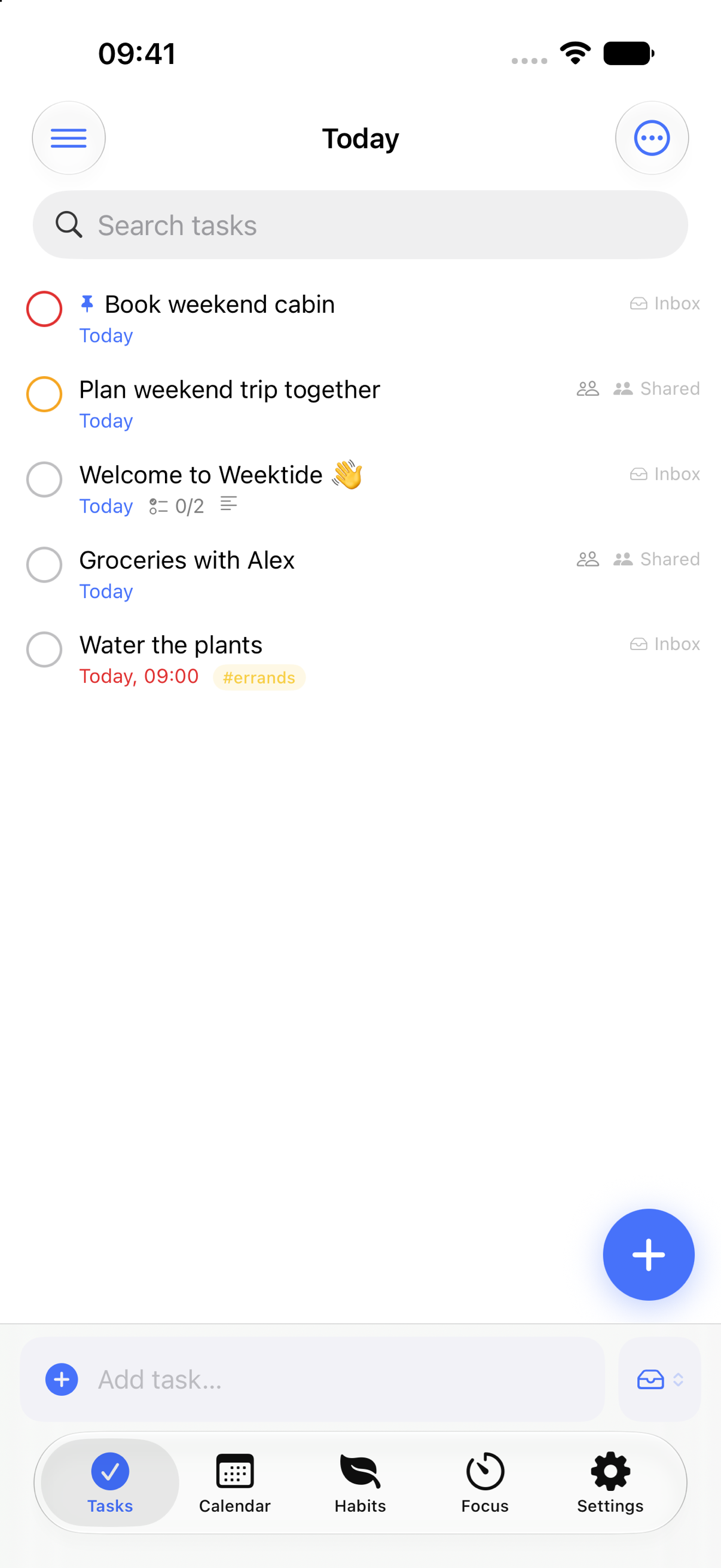
Tasks, calendar, habits and the Reef, built for iPhone. Pinch the calendar from a full year down to a single day. It arrives with the App Store release.

Today, at a glance
Pinch from year to day
Every list, one swipe away
A reef to grow
Pricing

Free where it counts.

The free app is the complete core, and it stays free. Plus adds sync and sharing.

Free

$0

Forever, on your Mac

  • Unlimited tasks, lists and tags
  • Natural-language quick add
  • Boards, matrix, group & sort, pins
  • Apple Calendar on the same grid
  • Habits with streaks and heatmaps
  • The full Reef focus system
  • Widgets and the menu-bar quick add
Download free
1-month free trial Weektide Plus

US$1.99 / month

Everything free for the first month

  • Everything in Free
  • Cloud sync across your devices
  • Sharing with the person you plan with
  • “Show as Busy” shares the time and hides the task
  • Task templates & saved filters
  • Premium Reef scenes
Start with the free app

No ads, ever. Cancel anytime and your data stays on your device.

The pricing promise

People who subscribe today keep this price for as long as they stay subscribed: early supporters keep their price for life. Nothing you pay for is ever taken away, and your data exports free, always.

Support

Need a hand?

Email hello@weektide.com and you'll hear back from the person who builds Weektide. Bug reports, questions about your subscription, account deletion, or anything else — all welcome.


Questions

The honest answers.

Is Weektide really free?
Yes. The free app is the whole core. You get unlimited tasks, lists and tags, the natural-language quick add, Apple Calendar on the same grid, habits with streaks and heatmaps, the entire Reef, widgets and the menu-bar quick add. Nothing in Free expires.
What does Plus add?
Plus adds cloud sync across your devices, sharing with the person you plan with, “Show as Busy” for tasks you keep private, task templates and saved filters, and premium Reef scenes. US$1.99 a month, after a 1-month free trial of everything.
Why the extra step on first launch?
Weektide is a direct download rather than an App Store build, so macOS asks you to confirm the first launch. Open Weektide once (macOS shows a notice), then go to System Settings → Privacy & Security, scroll down and click Open Anyway, and confirm. You do this exactly once. Every launch after that is normal.
When is the iPhone app coming?
It’s built: tasks, calendar, habits and the Reef all run on iPhone today, and it arrives with the App Store release. With sync turned on, your Mac and iPhone stay in step from day one.
Where is Weektide heading?
Toward a planner that understands hard weeks. It will pull commitments out of rosters and emails as proposals you approve, plan around real energy rather than empty calendar space, and recover the day calmly when it collapses. Nothing is marketed before it ships: the Building next page tracks what’s shipped, what’s in progress and what’s planned, and What is a shared life planner? explains the idea Weektide is built around.
Where does my data live?
On your device. Weektide works completely offline, and nothing leaves your Mac unless you turn on sync or sharing. Both are optional and under your control. The full detail is in the privacy policy.
Download

Slide it into Applications. That’s the install.

Download Weektide for Mac About 9 MB · macOS 15 or later
  1. Open the download. The installer window appears with everything you need.
  2. Slide Weektide into Applications. The installer window shows the way, and that’s the whole install.
  3. First launch: open Weektide, dismiss the macOS notice, then click Open Anyway in System Settings → Privacy & Security. You do this once, then it opens normally.
What’s new

For days that fall apart.

All in today’s free download.